前言
CMake 是一个开源的跨平台构建工具,用于管理软件的构建过程。它使用简单的配置文件(CMakeLists.txt)来生成标准的构建文件(如 Makefile、Visual Studio 项目文件等),从而实现跨平台的软件构建。
CMake 安装
使用 Homebrew 安装
首先电脑上已经安装 Homebrew,执行以下命令即可完成安装
brew install cmake看到以下信息安装完成
➜ ~ brew install cmake==> Downloading https://formulae.brew.sh/api/formula.jws.json######################################################################### 100.0%==> Downloading https://formulae.brew.sh/api/cask.jws.json######################################################################### 100.0%Warning: Treating cmake as a formula. For the cask, use homebrew/cask/cmake or specify the `--cask` flag.Warning: cmake 3.29.1 is already installed and up-to-date.To reinstall 3.29.1, run: brew reinstall cmake查看 CMake 的版本
➜ ~ cmake --versioncmake version 3.29.1 CMake suite maintained and supported by Kitware (kitware.com/cmake).查看 CMake 可生成的构建文件
➜ ~ cmake -help ... Generators The following generators are available on this platform (* marks default):* Unix Makefiles = Generates standard UNIX makefiles. Ninja = Generates build.ninja files. Ninja Multi-Config = Generates build-<Config>.ninja files. Watcom WMake = Generates Watcom WMake makefiles. Xcode = Generate Xcode project files. CodeBlocks - Ninja = Generates CodeBlocks project files (deprecated). CodeBlocks - Unix Makefiles = Generates CodeBlocks project files (deprecated). CodeLite - Ninja = Generates CodeLite project files (deprecated). CodeLite - Unix Makefiles = Generates CodeLite project files (deprecated). Eclipse CDT4 - Ninja = Generates Eclipse CDT 4.0 project files (deprecated). Eclipse CDT4 - Unix Makefiles= Generates Eclipse CDT 4.0 project files (deprecated). Kate - Ninja = Generates Kate project files (deprecated). Kate - Ninja Multi-Config = Generates Kate project files (deprecated). Kate - Unix Makefiles = Generates Kate project files (deprecated). Sublime Text 2 - Ninja = Generates Sublime Text 2 project files (deprecated). Sublime Text 2 - Unix Makefiles = Generates Sublime Text 2 project files (deprecated).其它操作
CMake 重新安装
命令行执行:brew reinstall cmake
CMake 卸载
命令行执行:brew uninstall cmake
CMake 构建 C++ 程序示例
使用 CMake 构建流程可简化表示为:Configure → Generate → Build
- Configure: 读取 CMakeList.txt 文件,解析并执行 CMake 语法,生成构建树和 CMakeCache.txt 文件
- Generate: 生成 Makefiles 或 其它工程构建文件
- Build: 运行构建系统文件(如 make、ninja 等)来编译源代码、链接库文件等,生成最终的可执行文件或库文件。
下面通过一个简单的 C++ 程序来演示 CMake 构建流程,示例程序的目录结构和文件如下:
.├── CMakeLists.txt├── hello.cpp├── include│ └── log.h└── src └── log.cpp // log.h 文件#include <iostream>#include <ctime> using namespace std;void log(const string& message); // log.cpp 文件#include "../include/log.h" void log(const string& message) { // 获取当前日期和时间 time_t now = time(0); struct tm *localTime = localtime(&now); // 格式化日期和时间 char buffer[80]; strftime(buffer, 80, "%Y-%m-%d %H:%M:%S", localTime); // 输出日志信息 cout << "[" << buffer << "] " << message << endl;} // hello.cpp 文件#include<iostream>#include "include/log.h" int main(){ std::cout << "Hello World!" << std::endl; log("This is a log message.");}其中 CMakeList.txt 配置如下:
# 指定项目所需的最低CMake版本cmake_minimum_required(VERSION 3.21) # 用于定义项目的名称和支持的编程语言。在这里,项目名称被指定为 "hello",并且指定了使用 C++ 语言(CXX)来编写项目project(hello CXX) # 用于创建一个名为 "hello" 的可执行文件,它由 hello.cpp 和 src/log.cpp 两个源文件构建而成add_executable(hello hello.cpp src/log.cpp) 在项目根目录下,打开终端,依次执行以下命令:
- cmake -B build
-B build 用于生成构建系统文件(本例中的 Makefile 文件),将其放在 build 目录中,但不会执行实际的构建操作(没有编译 C++ 源代码)。 日志打印看执行了 Configure、Generate。
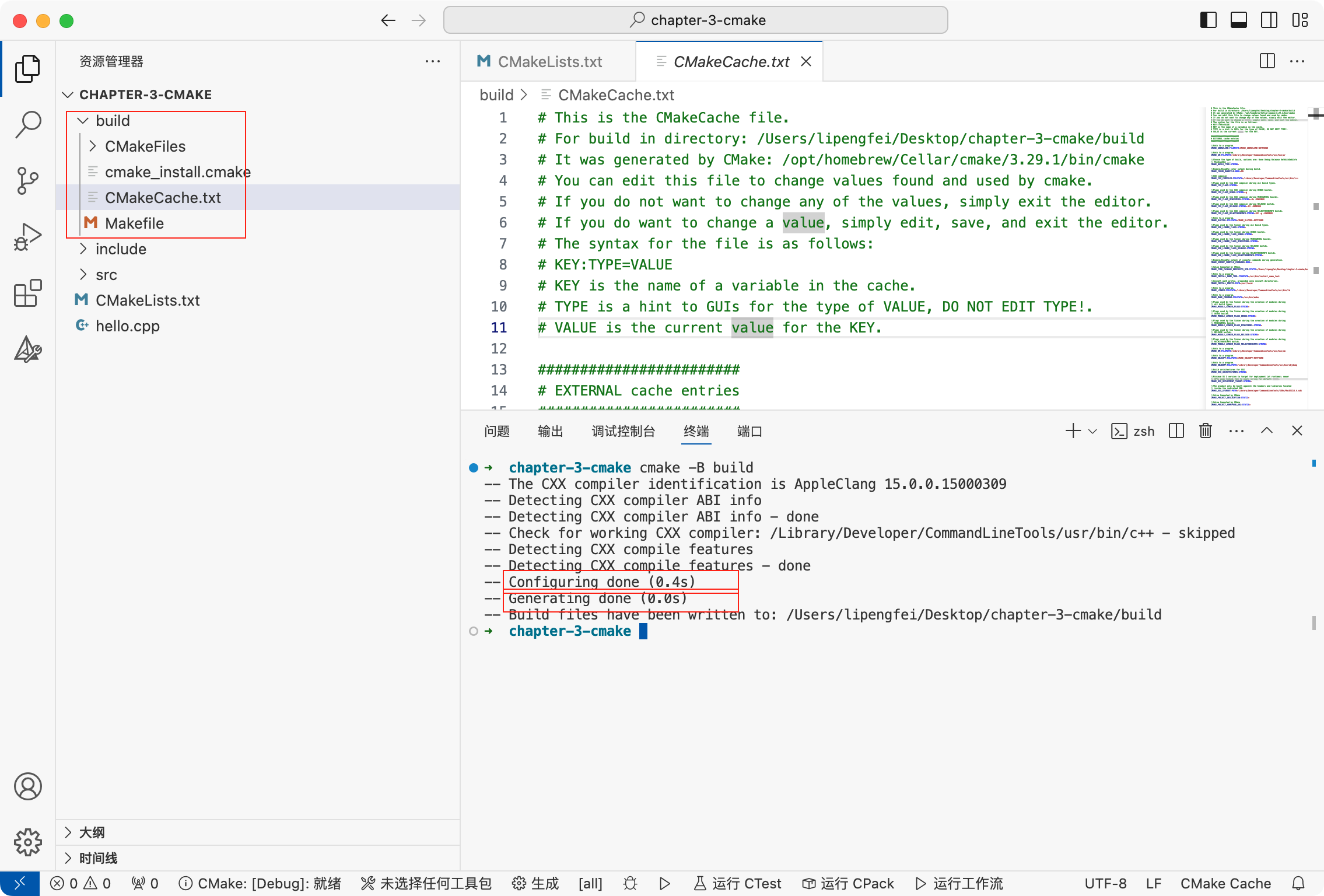
左侧根目录下生成了 build 目录,其中包含 CMakeCache.txt 和 MakeFile 文件,其中 Makefile是在 Linux 环境下 C/C++ 程序工程管理文件 CMakeCache.txt 文件是由 CMake 生成的一个重要文件,用于存储 CMake 配置过程中生成的各种变量、路径和选项的信息。
- cmake --build build
cmake --build 根据生成的构建系统文件来实际构建项目,包括编译源代码、链接库文件等操作,build 参数指定了构建系统文件所在的目录。
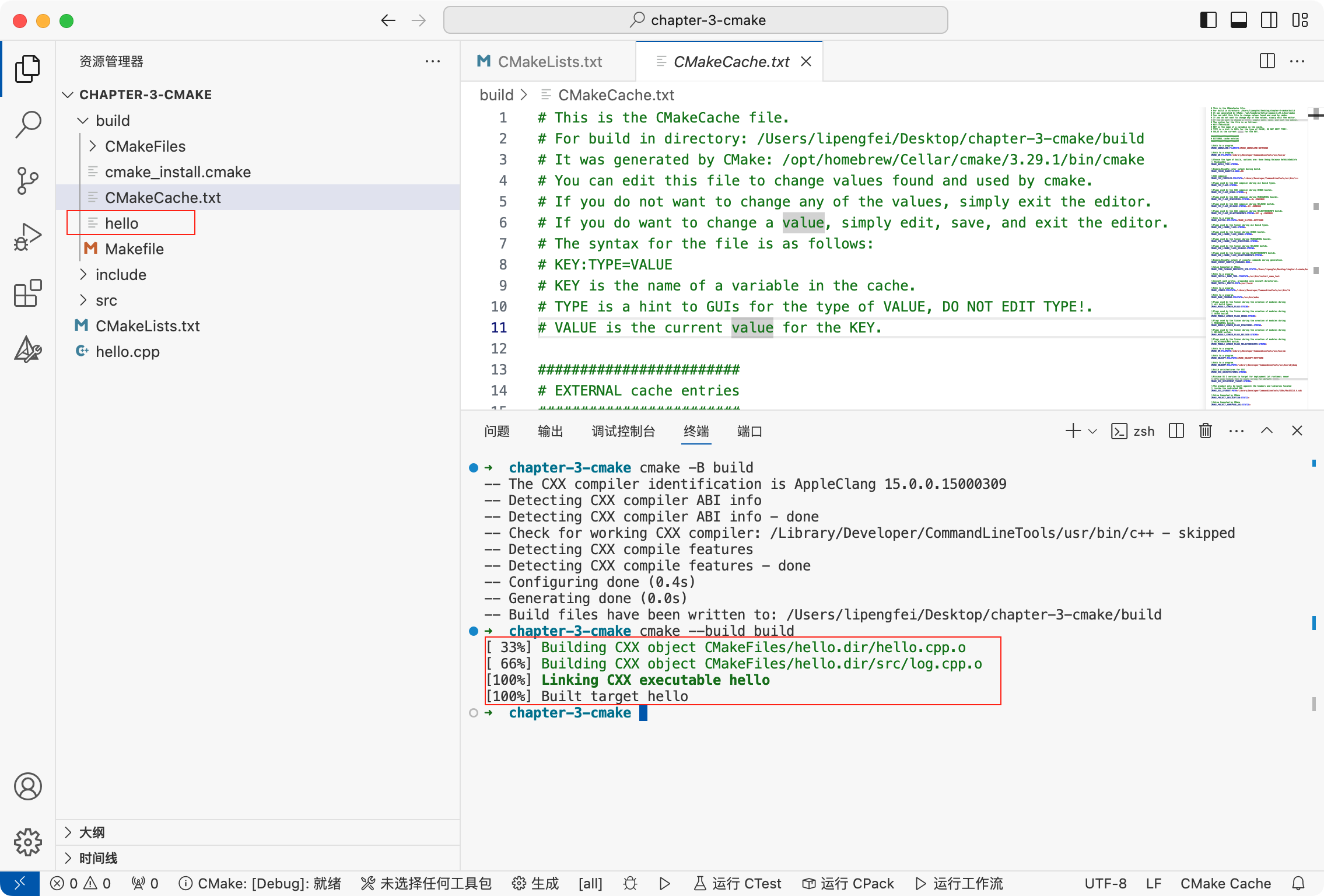
日志打印看项目进行了编译、链接等,生成可执行文件 hello
- build/hello
执行
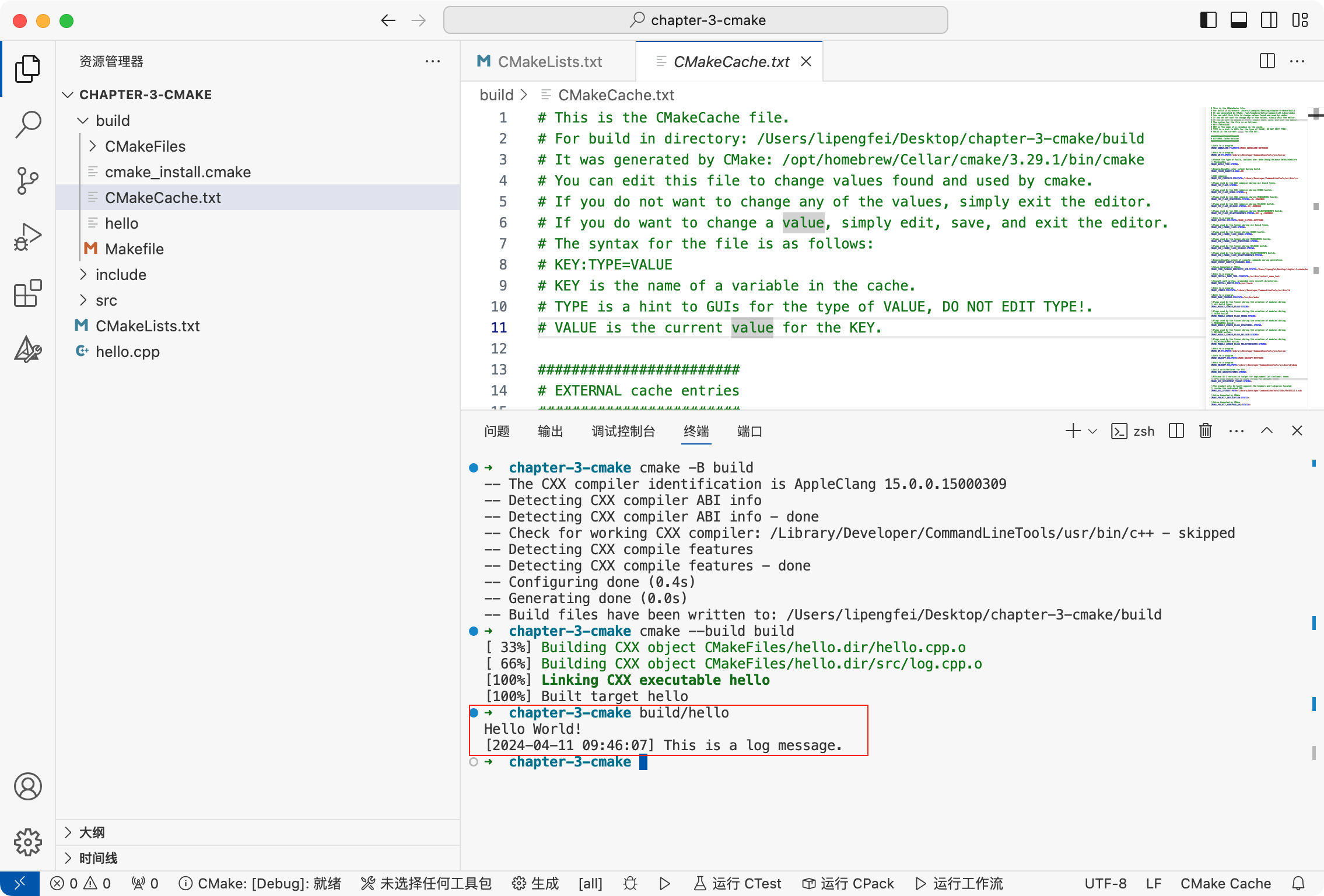
参考文档
Feature
- CMake 其它的安装方式